This page may contain affiliate links that pay me a small commission. There is no cost to you. You can review the affiliate statement at the very bottom of this page if you want more information. As an Amazon affiliate Canon Camera Geek may earn a small commission from qualifying purchases, at NO added cost to you.
LCD Screen For Canon DSLR Video
by Tyree Robinson
(Philadelphia)


External Video Monitor
Do I need an LCD monitor to shoot music videos with a DSLR camera?
HI Tyree!
Thanks so much for taking time to ask a question about shooting music videos with a separate LCD monitor for your Canon DSLR. I hope you find my answer helps.
The good news is that there are plenty of models to choose from and they are very affordable. The large majority of them are priced between $100-$200.
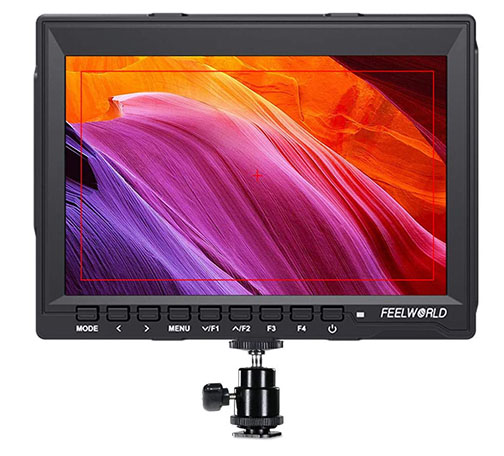
Canon LCD Monitor For Shooting Video
The cheap price and large selection makes it an easier question to answer. They're not a big investment and there are advantages to using a separate monito for music videos.It's a matter of whether you NEED or just WANT an external monitor for shooting music videos. It's likely more of a personal choice on whether you should use one. I've shot dozens and dozens of video for my YouTube channels without ever using a monitor and never felt like I needed one. With that said, I know that I would ENJOY using an LCD monitor and that it would be beneficial to have one.
Advantages of Using an LCD Monitor For Shooting Video
FOCUS. A larger screen will give you the ability to check and adjust precise focusing better than the small 3 inch monitor on the back of your Canon.DISTRACTIONS. You can't see the finer details of elements within your frame that may be distracting when using the LCD on the back of your camera. A 6 inch screen has a 4 times larger viewing area than a 3 inch screen.
OVERALL LOOK. Viewing your music video on a larger format gives you much better ability to get a feel of how your music video will appear in the final cut that be will be seen by you and your viewers.
BATTERY AND BRIGHTNESS. You won't need to use your camera's LCD at full brightness when shooting outdoors. Your monitor will be powered by its own power source.
TOOLS. I have no experience with using an external monitor, but from what I understand there are extra tools available that your Canon LCD won't give you. These include: Peaking Focus Assist, Check Field (Red,Green,Blue,Mono), Camera Mode, Center Marker, Screen Marker, Image Flip (H, V, H/V), Image Freeze, and Custom Color Temperature.
Disadvantages of Using an LCD Monitor For Shooting Video
COST. Although monitors are reasonable price, every piece of gear adds up as money out of your pocket.WEIGHT. Shooting video with just your Canon camera body and lens is super light and super easy to carry on location. Monitors and brackets add weight and bulk that you must carry with you during your video shoot.
COMPLICATION. Although not a big risk, adding more equipment increases the likelihood of the breakdown or communication errors between your different devices.
Tyree, feel free to comment or ask any other related question.
Keep in touch!
Bruce
My Photography YouTube Channel
My Canon YouTube Channel


Bruce Lovelace is the publisher of Canon Camera Geek. Read more about him on the About Page. He also publishes how to articles and camera gear reviews at the Photography Tips website.
View some of Bruce's photos on Instagram and Flickr. Join the tribe of followers on YouTube. Bruce also runs photo workshops and provides 1 on 1 digital photography coaching.
You might like these
Canon EF-S vs EF Lenses Comparison. The Ultimate Lens Showdown
What are the differences between the EF and the EF-S Canon lenses. This article will demystify sensor size, compatibility, and crop factors to help you choose
Are Canon L lenses worth the price? Truth Revealed-Helpful L Lens FAQ
Should you buy one of the Canon L lenses. This post will answer your frequently asked questions about L lenses. Are Canon L lenses worth the price?
Best Canon Lens For Landscape Photography. 7 Landscape Lenses Compared
You want to know how to choose the best landscape lens to use with your Canon camera. Best Canon Lens For Landscape Photography in 2023, 2024, and beyond
Canon Camera Lenses Guide. Description and Full List of Canon Lenses
Which Canon camera lenses are the best for what kind of photography. Zoom, wide-angle, portrait lenses
Is The Canon 400 f5.6 Lens Any Good. Pros + Cons of This Cheap Lens
Somewhat forgotten. It's not fast. It's not a zoom lens. No image Stabilization. Pros + Cons of the Canon 400 f5.6 Lens




KEH: WHERE I BUY CANON GEAR
"I've found that the condition of the used equipment from KEH is excellent and a whole lot cheaper than buying new" - Bruce, the Canon Camera Geek
You might also like:
Canon Polarizing Filters. Are They Any good And Worth It? My Results.
What do these lens filters do for you? Research into the value of using one of the Canon polarizing filters on your lens.
Is A Canon Cable Release Worth Buying? Why Use A Remote Shutter Cord.
What docable release shutter buttons do and should you use a genuine canon cable release for your Canon camera or can you get by with another manufacturer?
Two Canon Tripods Choices And Alternatives You Can Get. Helpful Guide
Are the Canon tripods any good? Can you abandon your loyalty to Canon when it comes to getting a tripod for your Canon camera?
Most Expensive Designer Camera Bag-Who's Crazy Enough To Buy One?
Can you justify spending more on your gear bag than your camera equipment? Ponder these thoughts about the most expensive designer camera bag.
Canon Camera Accessories-The 5 Must Have Gadgets And 5 Fun Accessories
Are you searching for Canon camera accessories? Here is what you need to know first. including a helpful list of useful articles on more accessories.





Search for articles on this Site:
Recent Articles


-
Is The Canon 17-40 Worth It? Canon's Popular Wide-angle Zoom Lens
Oct 05, 26 10:24 AM
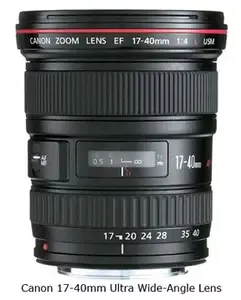 Cleary the Canon 17-40mm wide-angle zoom was the most popular super wide angle lens Canon had. Is it still a good buy these days. Thoughts on whether the Canon EF 17-40mm lens is worth buying and is t…
 -
Which teleconverter is compatible?
Sep 18, 26 11:44 AM
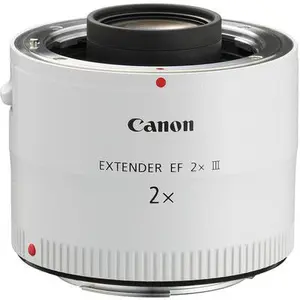 Hi! I've been unsuccessfully scouring the internet for the answer, and came upon your page! I am hoping you can help. I have a Canon Rebel XT EOS. My
 -
NEED HELP WITH CANON POWERSHOT SX740
Sep 18, 26 11:39 AM
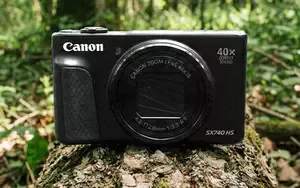 It's only been almost a year since I have bought this camera, and suddenly the camera froze and went while it was still on, and the lens is still in place.
 -
What is The Canon 90D Good For? Canon EOS 90D Review and Sample Photos
Aug 24, 26 01:00 PM
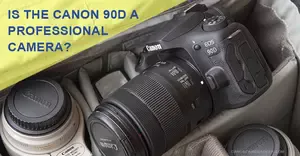 I bought mine because of its video capabilities and high speed frame rate but what's the the Canon 90D good for? Is it a professional camera? let's find out.
 -
Which teleconverter will be compatible?
Aug 22, 26 07:13 PM
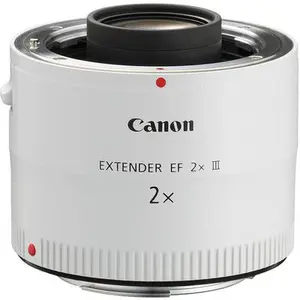 Hi! I've been unsuccessfully scouring the internet for the answer, and came upon your page! I have a Canon Rebel XT EOS. My lens is the Canon Zoom lens